




CAREER
Your career.
Optimized.
Join Exodraft and our shared
ambition to build the bridge to a CO₂-neutral
future with greener energy for everyone.
What Are the Top Digital Signage Solutions for Businesses?
A digital display can brighten a lobby, guide shoppers to a promotion, or leave people staring at yesterday’s menu. The difference is rarely the screen alone. It is the fit between the software, content, network, and daily workflow. Digital Signage solutions now range from simple cloud-based players to interactive systems with scheduling, audience analytics, and point-of-sale integrations. More features do not always mean better results.
Industry analyst Lyle Bunn has long emphasized that effective digital signage depends on relevant content and disciplined operations, not hardware alone. That principle is useful when comparing platforms. Can a store manager update prices across several locations without calling IT? Does the system keep showing approved content if the internet drops? Can staff see which screens are offline before customers do? Small details matter. A frozen screen near a checkout can undermine a polished campaign.
This guide examines leading solutions through practical business needs: ease of use, scalability, integrations, security, and support. It also considers the less glamorous work, including content planning and maintenance. No platform solves those problems by itself. A useful shortlist should match the screens, staff skills, and update schedule a business actually has. The right choice may be less impressive in a demo—and more dependable on a busy Tuesday.
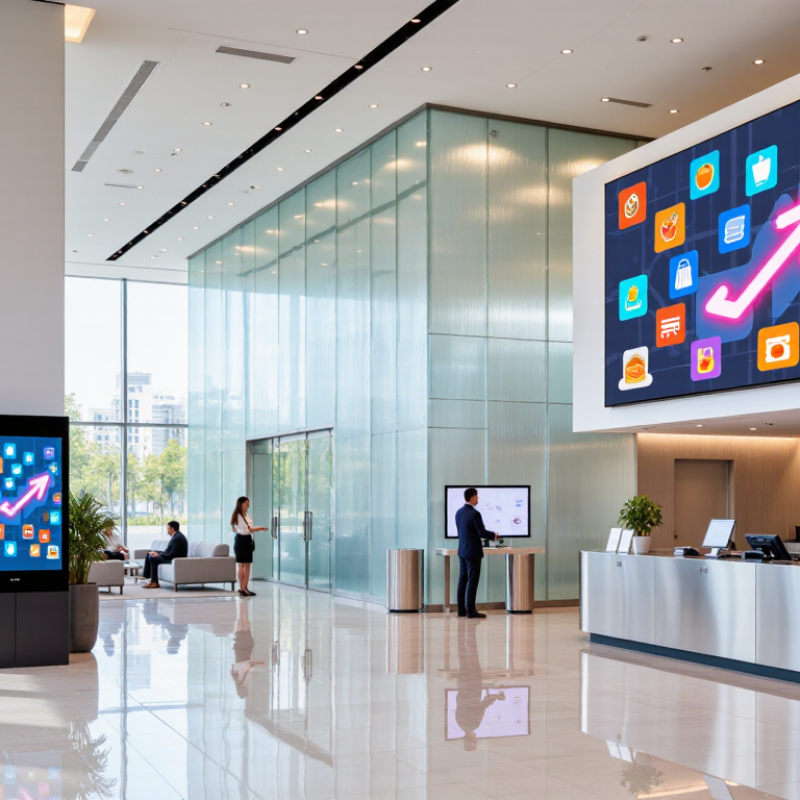
What Digital Signage Solutions Are and How They Work
A digital signage solution is a connected system, not just a screen on a wall. It typically combines commercial displays, a media player, content-management software, and a network connection. Staff upload a menu, announcement, or promotion to the software, then assign it to selected screens and set a playback schedule. The player receives the approved files and displays them, even when the screen is not being actively controlled. Some systems also use sensors or live data to adjust content, but these features need thoughtful setup.
The process is easier to picture in a café: a manager updates a price on a laptop, chooses the counter display, and schedules the change before opening. That matters. A good workflow reduces repeated USB updates and helps keep screens consistent. Yet a network outage, expired content, or unreadable text can still undermine the experience. Technology is only part of it.
The market is growing, though growth alone does not prove that every installation works well. Grand View Research estimated the global digital signage market at USD 28.83 billion in 2024 and projected USD 45.94 billion by 2030. For a business, the practical question is whether the system fits its locations, staff skills, and update schedule. Not magic. A small pilot can reveal whether screens are visible, content is legible from a few steps away, and updates actually reach the right displays.
Core Components of a Business Digital Signage System
A business digital signage system works only when its parts fit the room and the message. The display is the visible layer. Screen size, brightness, viewing angle, and placement all matter. A sunny entrance may need a brighter screen than a quiet meeting room. A media player delivers content, while content management software lets staff schedule updates, correct prices, and manage multiple locations. The player delivers content. The management system schedules it and controls screen groups. Network access links these parts, but a wired connection can be more reliable where Wi-Fi drops behind concrete walls. Small details count.
Content is a core component, not decoration. Use large type, strong contrast, and short messages that people can understand in a few seconds. A reception screen might show a room change, a queue estimate, and one clear direction. Keep images current.
Power, secure mounting, and routine checks are easy to overlook. A loose cable or outdated schedule can make a capable setup look careless. Monitoring tools may flag offline screens, but someone still needs to verify what customers actually see. That step is often neglected.
It is tempting to buy a bright display and consider setup finished. That rarely works. Test messages from real viewing distances, then adjust them. One assumption may be wrong.
Types of Digital Signage Solutions for Different Business Needs
What Are the Top Digital Signage Solutions for Businesses?
Types of Digital Signage Solutions for Different Business Needs
Retail stores use bright promotional displays near entrances and shelves, while restaurants rely on menu boards that staff can update when dishes change. In clinics, clear wayfinding screens can direct visitors from reception to the right corridor. Offices often use lobby displays for announcements and shared dashboards. The right format depends on what people need to see, and where they need to see it.
Digital signage is a growing investment: Grand View Research estimated the global market at USD 28.83 billion in 2024 and projected an 8.1% compound annual growth rate from 2025 to 2030. That figure signals momentum, not guaranteed returns. A screen can still become expensive wallpaper if its message is stale or hard to read. Match screen size, placement, and update frequency to the task; test visibility from the distance customers actually stand.
Tips: Put short, changing information on digital screens, and keep essential directions readable at a glance. Check brightness in the real lighting conditions, especially beside sunny windows. Assign someone to review content regularly. It’s easy to forget. A small pilot can reveal awkward sightlines or confusing wording before a business equips every location.
What Are the Top Digital Signage Solutions for Businesses? - Types of Digital Signage Solutions for Different Business Needs
| Business Need | Digital Signage Solution | Common Placement | Typical Content | Useful Capabilities | Operational Considerations |
|---|---|---|---|---|---|
| Displaying products, promotions, and store information | Retail digital displays | Storefronts, product departments, checkout areas, and service counters | Product details, promotions, store announcements, and seasonal campaigns | Scheduled content, location-specific playlists, and centrally managed updates | Choose screen brightness and placement for the viewing distance and ambient light. Keep prices and promotional details accurate. |
| Presenting menus and changing food-service information | Digital menu boards | Above ordering counters, in cafeterias, and at drive-through ordering points | Menu items, prices, ingredients, dietary information, and limited-time offers | Remote menu updates, time-based scheduling, and layouts that can be adjusted for different screen sizes | Confirm that displayed prices and availability match the point-of-sale system or current menu. Use readable text at the expected viewing distance. |
| Helping visitors find destinations | Wayfinding and directory displays | Building entrances, lobbies, corridors, campuses, and multi-tenant facilities | Maps, directories, room locations, directions, and visitor information | Searchable directories, route guidance, and centralized updates to location information | Keep maps and room listings current. Provide clear visual contrast and consider accessible alternatives for visitors who cannot use a touchscreen. |
| Communicating with employees and visitors | Corporate communication screens | Reception areas, break rooms, meeting spaces, and internal corridors | Company announcements, schedules, safety notices, event information, and operational updates | Content scheduling, role- or location-based playlists, and centrally managed publishing | Use an approval process for time-sensitive or safety-related messages, and remove outdated notices promptly. |
| Managing lines and customer flow | Queue and appointment displays | Service desks, clinics, banks, reception areas, and customer-service centers | Queue numbers, service instructions, appointment information, and next-step guidance | Integration with compatible queue or appointment systems and updates as service status changes | Protect personal information by displaying only the information needed to direct customers. Provide a clear process for people who miss a call. |
| Sharing information in outdoor or high-ambient-light locations | Outdoor digital signage | Building exteriors, transit areas, campuses, and open-air venues | Directions, public information, event details, and business announcements | Remote content management, scheduled messages, and displays designed for outdoor operating conditions | Select equipment rated for the installation environment, including exposure to weather, temperature changes, and direct sunlight. |
| Showing large-format visuals in shared spaces | Video walls and large-format displays | Lobbies, auditoriums, control rooms, event venues, and retail feature areas | Presentations, live information, wayfinding, event content, and high-resolution imagery | Multiple-screen layouts, centralized playback, and support for content designed for large viewing areas | Plan screen layout, mounting, power, ventilation, and service access. Create content that remains legible at the intended viewing distance. |
| Informing travelers and venue guests | Transportation and venue information displays | Stations, terminals, waiting areas, entrances, and event concourses | Schedules, gate or platform information, service notices, maps, and event instructions | Frequent updates, integration with compatible information systems, and clearly prioritized messages | Verify the source and update frequency of operational information. Make urgent changes easy to publish and distinguish from routine content. |
How to Compare and Choose a Digital Signage Platform
Choosing a digital signage platform starts with the screens, locations, and people who will manage it. Grand View Research valued the global market at $28.83 billion in 2023. MarketsandMarkets estimated $25.2 billion that year. The gap reflects different research methods and market definitions. That is not proof. Treat market figures as context, not a buying guide.
Compare platforms against real tasks: scheduling a breakfast menu, changing a price across several stores, or checking whether a lobby screen is offline. Look for role-based access, remote updates, media-format support, and clear playback logs. Ask how the system behaves during a network outage. Can screens keep showing approved content? How quickly can staff restore service? Test the awkward bits.
Then calculate total cost, not just the monthly license. Include players, installation, support, training, and replacement cycles. Request a pilot across different locations, including one with weak connectivity. Measure update time and playback reliability over several weeks. A polished demo can hide clumsy daily workflows. One limitation: a small pilot may not reveal every failure that appears at scale. Keep that uncertainty visible when comparing vendors.
Planning and Managing a Digital Signage Deployment
Planning a digital signage deployment starts with a clear purpose for every screen: wayfinding, queue updates, safety notices, or sales information. Record each display’s location, viewing distance, brightness needs, network connection, and content owner. Grand View Research estimated the global digital signage market at USD 25.18 billion in 2023, with an 8.1% projected annual growth rate from 2024 to 2030. The expansion makes careful planning more valuable, not less. Set practical measures before installation, such as content update time, screen uptime, and audience response. A beautiful display that nobody maintains becomes expensive wallpaper.
Treat deployment as an operating process, not a one-day installation. Test a small group of screens first, including a bright entrance and a quieter corridor. Confirm that content remains readable at the actual viewing distance, then check scheduling, permissions, and recovery after a network outage. Assign a named owner for updates and a backup for absences. Even a solid plan can miss one detail: network handoffs are easy to underestimate.
Tips: Pilot before scaling. Keep a spare player and cables on site. Use a short content calendar, review screens weekly, and log faults with location and time. Track results for several weeks before changing the layout; otherwise, seasonal traffic may distort the comparison.
Planning and Managing a Digital Signage Deployment
Example rollout schedule by phase, in working days. These are planning estimates—not an industry benchmark; actual timing depends on site readiness, procurement, and deployment scale.